Find, choose and edit the photos scattered across your PC — right down to RAW
Find the photos and videos scattered across your drives by date, place and camera. Pick your favorites in a large view and edit them right away. Your originals stay untouched, and your photos never leave your computer.
Free downloadRead the guideAnyone can use every feature for free. The only difference in the free version is a light watermark on exported photos and slideshows.
RAW development · RAW+JPG groupingAI edits run on this PC6 languages (한국어 · English · 日本語 · Deutsch · Español · Français)Edits and 90° rotation keep the original intact
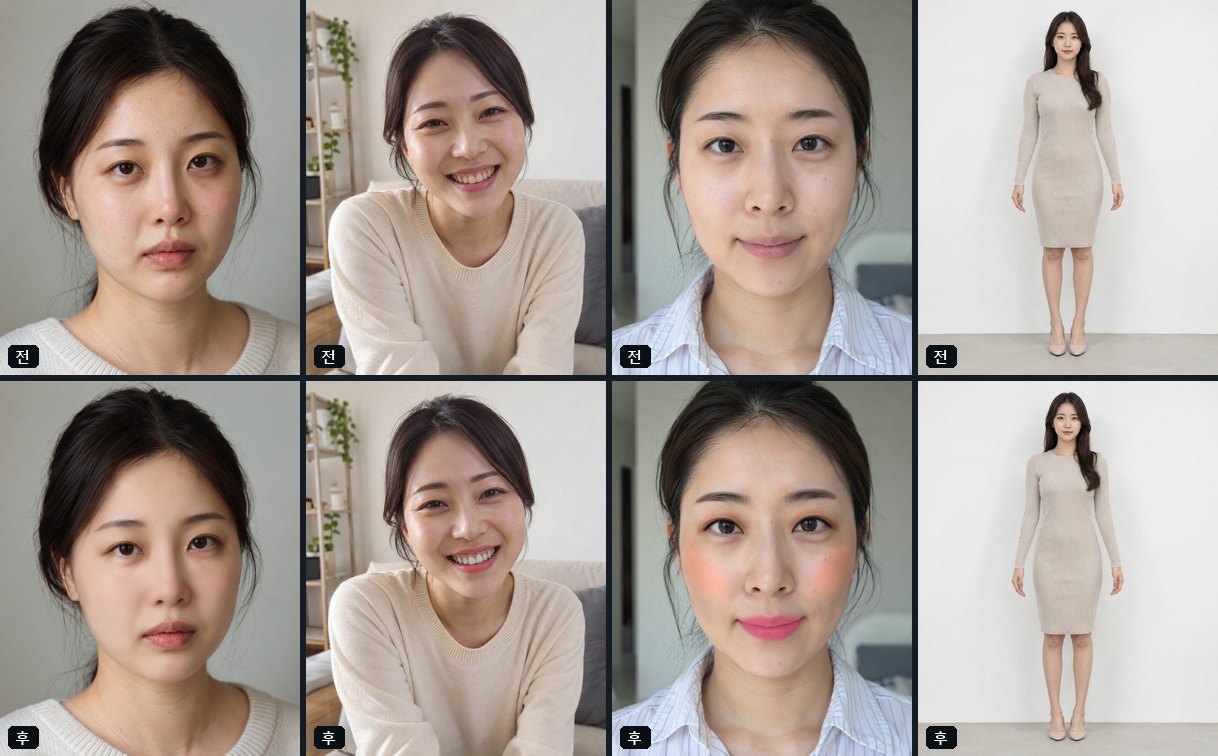
Before and after
A few clicks make a noticeable difference
Drag the divider. Every example below was edited with photoKam Radar.
BeforeAfter
Clear, airy Japanese film tones
Pick a look under Japanese Mood on the Presets tab. 15 clear, soft looks with a hint of green and teal, applied in one click. Click a preset name below to see the same photo with another look.
The people in the sample photos were generated by AI.
What you can do
From finding photos to editing and exporting — all in one app
Find photos
Indexes the photos on all your drives and shows them as a grid, tiles or a list. Jump to a date, find photos on a map, and filter by camera, lens, rating and tag.
Adjust exposure, contrast, highlights, shadows and curves. Restore deep blacks even after applying a filter, with automatic adjustments tailored to each photo.
Adjust only the areas you want with brush, linear, radial and rectangle masks. Select similar colors at once, or select people, sky and skin automatically.
Open the Portrait tab and faces and bodies are detected so each person can be retouched separately. Retouch in one step with the Natural · Radiant · Profile photo buttons, then refine with the sliders. All processing happens on this PC.
The people in the sample photos were generated by AI.
Skin
blemishes, redness, pores, shine
Eyes · Mouth
brighter whites of the eyes, teeth whitening, lip color
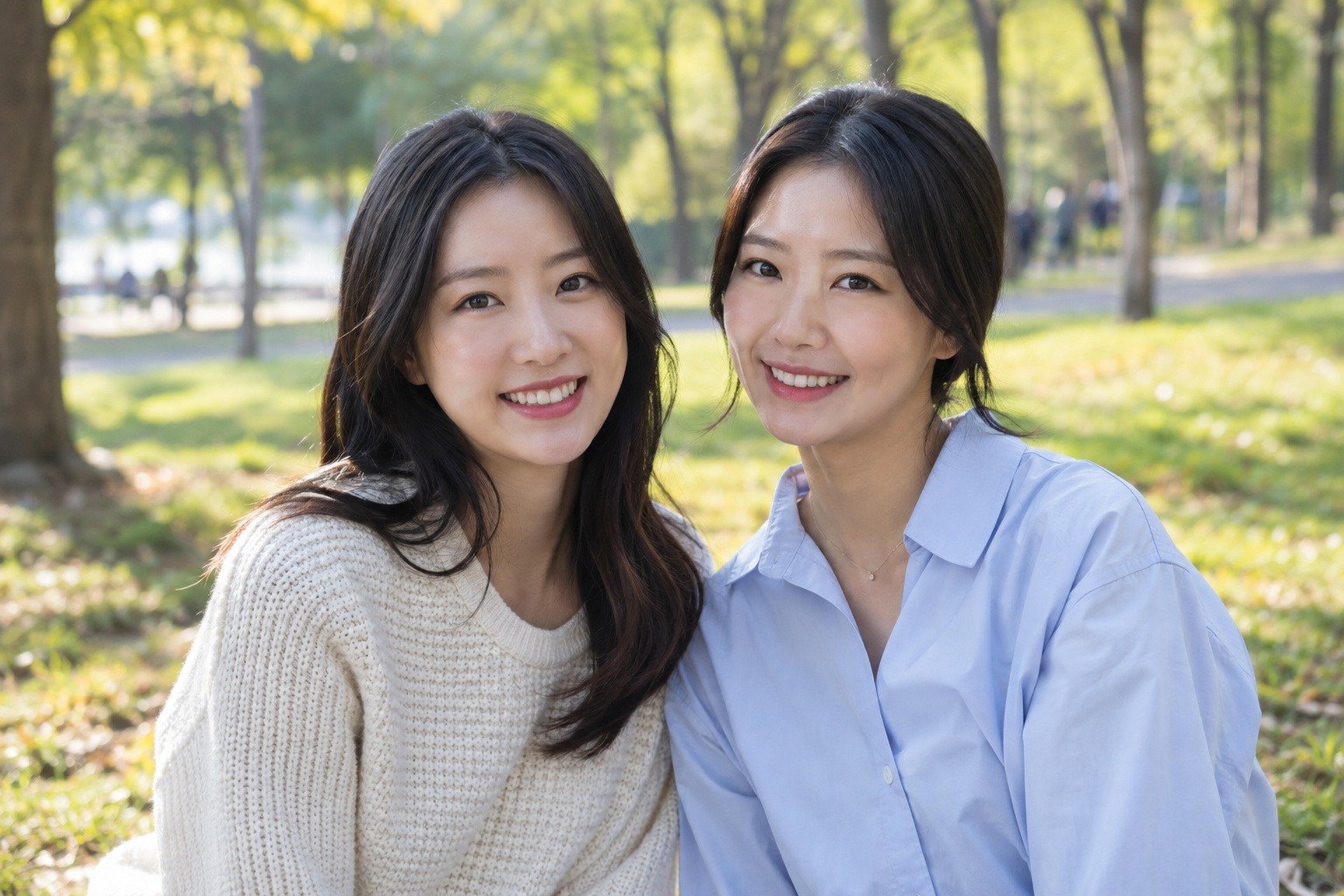
Even in a group photo, you can select just one person and retouch them.
Portrait retouching is a beta feature. Detection accuracy can vary from photo to photo, so please check the result. The people in the sample photos were generated by AI.
Photo management that finds anything among tens of thousands of photos
The people in the sample photos were generated by AI.
Set up your drives and folders once, and new photos are indexed automatically.
Choose a year, month and day with the date button to jump straight to that date.
Photos with location data can be viewed on a map.
When RAW and JPG files are together, they're shown grouped as one, and in the full view and the editor you can view only what you want with All · RAW · JPG.
The full view shows where the focus was and which parts are blown out to white.
Videos play in the same list too, with subtitles and rotation.
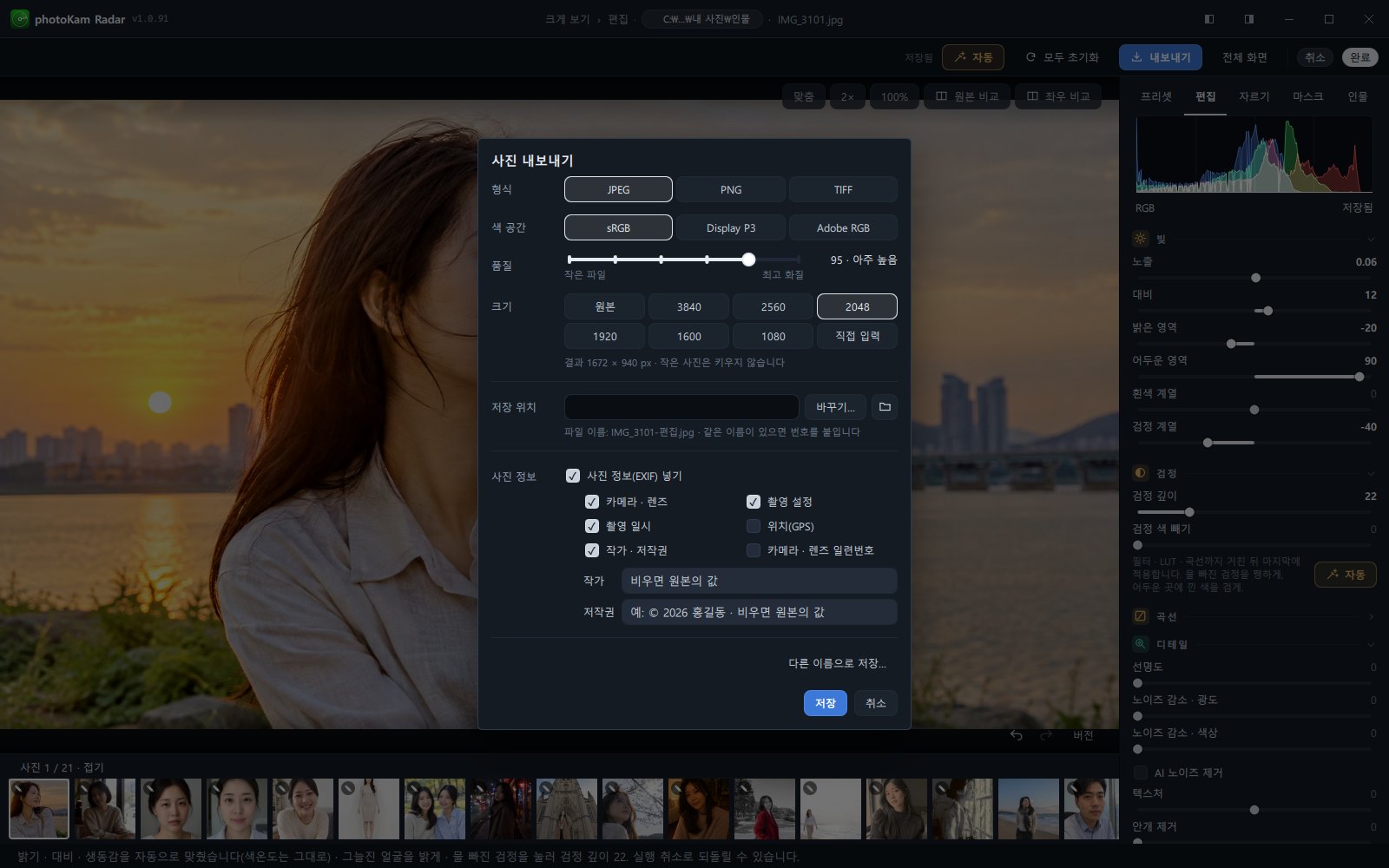
Choose the format (JPEG · PNG · TIFF), color space, quality and size, and include only the photo information (EXIF) items you want: camera, shooting settings, date, location, author, serial number. By default, location and serial number are left out.
When saving is done, click the status bar at the bottom to open the folder you saved to right away.
Your photos, edits and AI processing all stay on this PC. Photos are never sent to a server.
Edits and 90° rotation are saved separately without changing the original. You can always go back to the original.
To improve the app, anonymous usage statistics are sent (an anonymous installation ID, install · update · launch · exit records and usage time, app version, OS and its version, CPU type, language · region, and whether the copy is licensed). Photos, documents, file contents and paths are never sent, and you can turn this off with Send anonymous usage statistics in Settings.
Free and full versions
Try it first, then decide
Free version
₩0
Anyone can use it (individuals, companies, institutions, commercial use)
All photo management, viewing and editing features
Watermark on exported photos (light diagonal pattern)
Watermark on edited photos in the large view and slideshows (none on photos that were only rotated 90°)
No. Edits (including 90° rotation) are stored separately, and a new file is created only when you export.
How long can I use the free version?
Anyone (including companies and commercial use) can use every feature with no time limit. The only difference is the watermark on exported photos and slideshows; to use it without the watermark, buy and register the full version.
Which cameras' RAW files can it open?
Canon, Nikon, Sony, Fujifilm, Olympus, Panasonic, Pentax, DNG and more
Can I use it on a Mac?
Yes. There's a macOS version for Macs with Apple silicon (M series), which runs on macOS 13.3 or later. For shortcuts, use ⌘ (Command) instead of Ctrl.